
How to Add Milk + Honey Jewelry to your Baby Registry
If you’re already a seasoned mom, you probably know that babies really don’t need that much stuff. Let your friends and family gift you with something meaningful.
It’s super simple. The best products to add to your registry would be our DIY Kit or a gift certificate. Let me walk you through the steps below.
Head to babylist.com. If you already have an account, log in. If not, create an account with your baby registry.
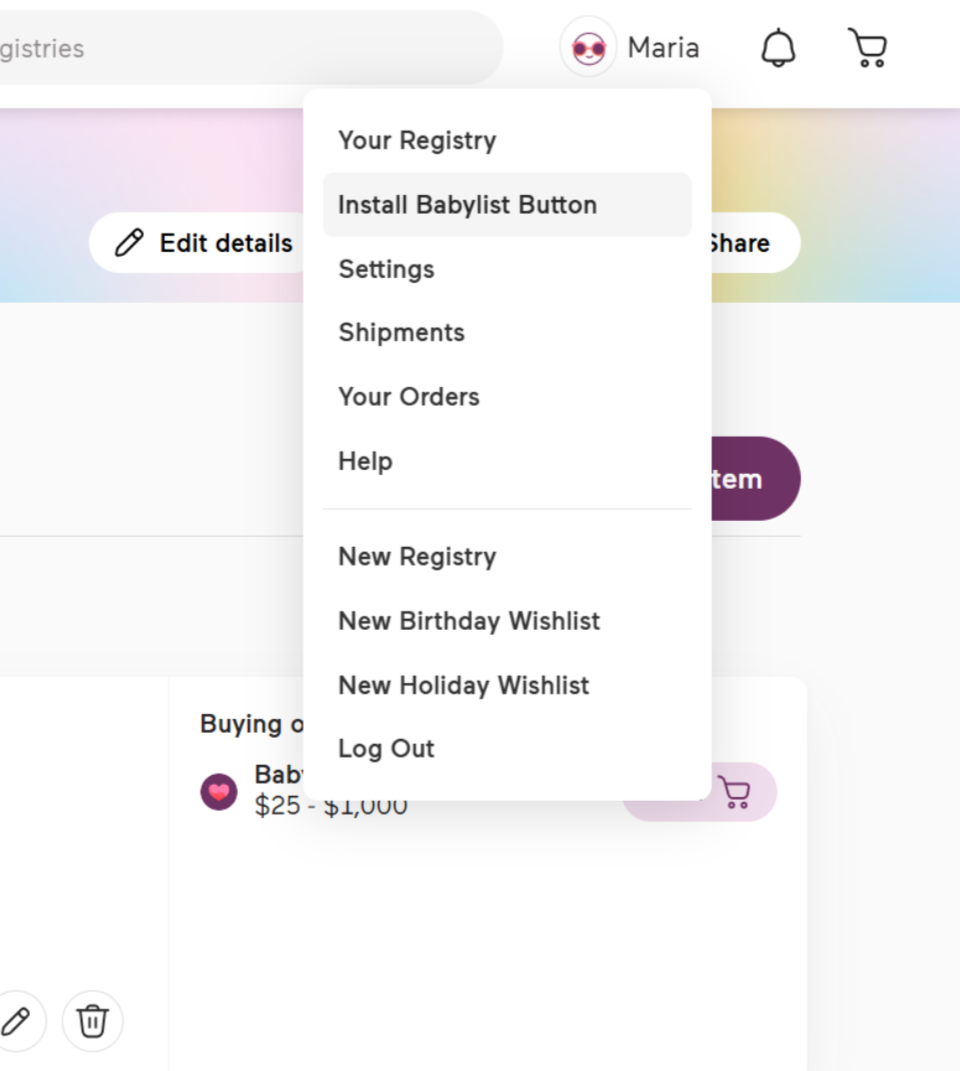
Once you’re logged into your registry, hover over your name and select “Install Babylist Button”.
3. Make sure your bookmarks bar is visible. At the top right of your Chrome browser, click the "More" icon . Select Bookmarks and make sure there's a checkmark next to Show bookmarks bar.
4. Click and drag the “Add to Babylist” button to your Bookmarks bar.
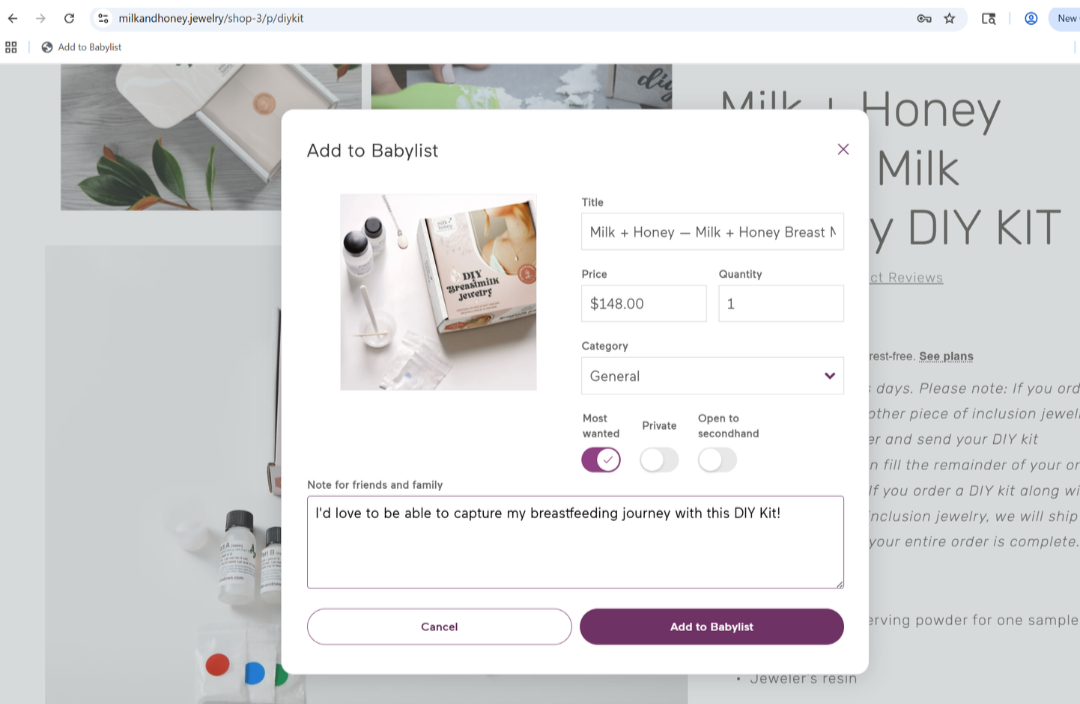
5. Head to Milk + Honey’s DIY KIT or GIFT CERTIFICATE page. Once you’re on the product page you wish to add to your Babylist registry, simply click the “Add to Babylist” button in your bookmarks bar.
6. In the pop-up on your screen, make any notes or adjustments to your registry item. Then, add it as a “most wanted”!
Congratulations! Now you’ve got your Milk + Honey Jewelry items on your baby registry!